
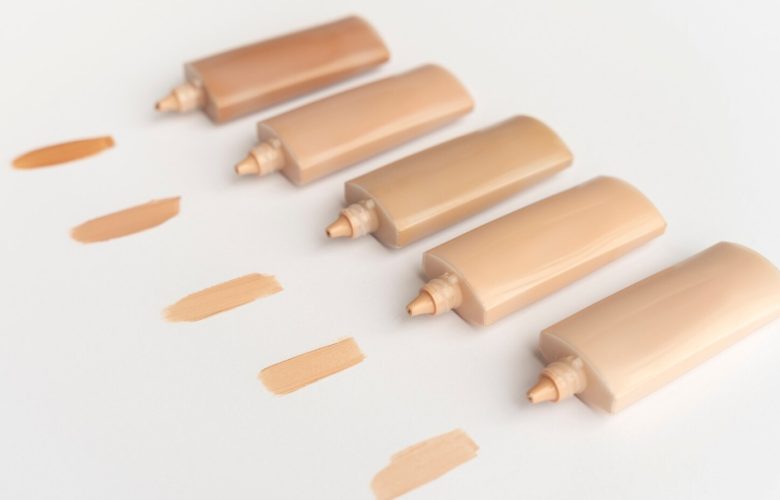
Online shopping isn’t just about scrolling and doing guesswork. Today, you can actually experience products digitally before deciding to buy them, and that’s where virtual try-on technology comes in. From makeup virtual try-on, hair color and more, these online tools allow you to preview how each product will look on you from the comfort of your home. In this guide, we will explore what a virtual try-on tool is, how it works, and the different types available across beauty categories for a smoother, more confident shopping experience.
Table of Contents
What Is A Virtual Try-On Tool?
A virtual try-on (VTO) tool is a digital feature powered by augmented reality (AR) and artificial intelligence (AI). It uses your device’s camera or a photo or uses a model to detect facial features and overlay products in real time.
The technology maps key facial points like lips, eyes, cheekbones, and jawline, so products appear realistic in terms of shade, placement, and finish. Advanced tools also adjust for lighting, skin tone, and texture to make the preview as accurate as possible. The goal? To help shoppers make confident, informed decisions without physically testing products.
Types Of Virtual Try-On Tools In Beauty & Makeup
Here is a list of different types of virtual try-on tools available across the beauty segment:
-
Makeup Virtual Try-On (Most Popular Category)
Makeup VTO tools allow users to test foundation, concealer, lipsticks, blushers, eyebrow makeup, eyeshadows, eyeliners, and even full-face looks. These tools are especially valuable for complexion products where shade accuracy matters. You can typically try out makeup products in the following way:
- Compare multiple makeup products instantly
- Test before and after images
- Try individual products
- Create full-face virtual makeup
-
Foundation Shade Finder Tool
Apart from the makeup virtual try-on, there is another game-changing tool that is more like a sub-category – the foundation shade finder. It’s one of the most advanced features, which analyzes your skin tone and undertone using live camera scanning, a photo upload or a model to suggest the most accurate shade match. Using this tool significantly reduces shade mismatch, one of the biggest concerns in online foundation shopping. The tool typically:
- Detects skin tone (fair, medium, deep)
- Identifies undertone (warm, cool, neutral)
- Recommends the closest matching foundation shade
-
Hair Color Virtual Try-On
Hair color VTO tools let you preview shades like blonde, brunette, red, or even bold fantasy tones on your existing hair. The technology maps your strands and applies color realistically, helping you visualize subtle tweaks or dramatic changes before committing.
-
Nail Polish Virtual Try-On
Nail VTO tools simulate different polish shades and finishes, matte, glossy, or shimmer on your nails. You can experiment with trends and seasonal colors instantly, without the hassle of repeated application and removal.
-
Skincare VTO Tools
AI-powered skincare tools analyze visible concerns like pores, pigmentation, or uneven tone. These tools provide personalized product recommendations based on your skin’s appearance.
Why Virtual Try On Is Transforming Beauty Shopping?
Virtual try-on tools bridge the gap between in-store and online shopping. These tools help the readers in the following way:
- Reduce product returns
- Improve shade accuracy
- Offer personalized recommendations
- Enhance customer confidence
- Make beauty exploration more interactive and diverse
- Most importantly, they allow users to experiment freely without any pressure or product waste.
In a digital-first world, beauty is no longer just imagined; it’s instantly visualized. So, what are you waiting for? Experiment with VTO tools as per your requirements, explore products without hesitation, and shop for what you truly like.